
Split Screen
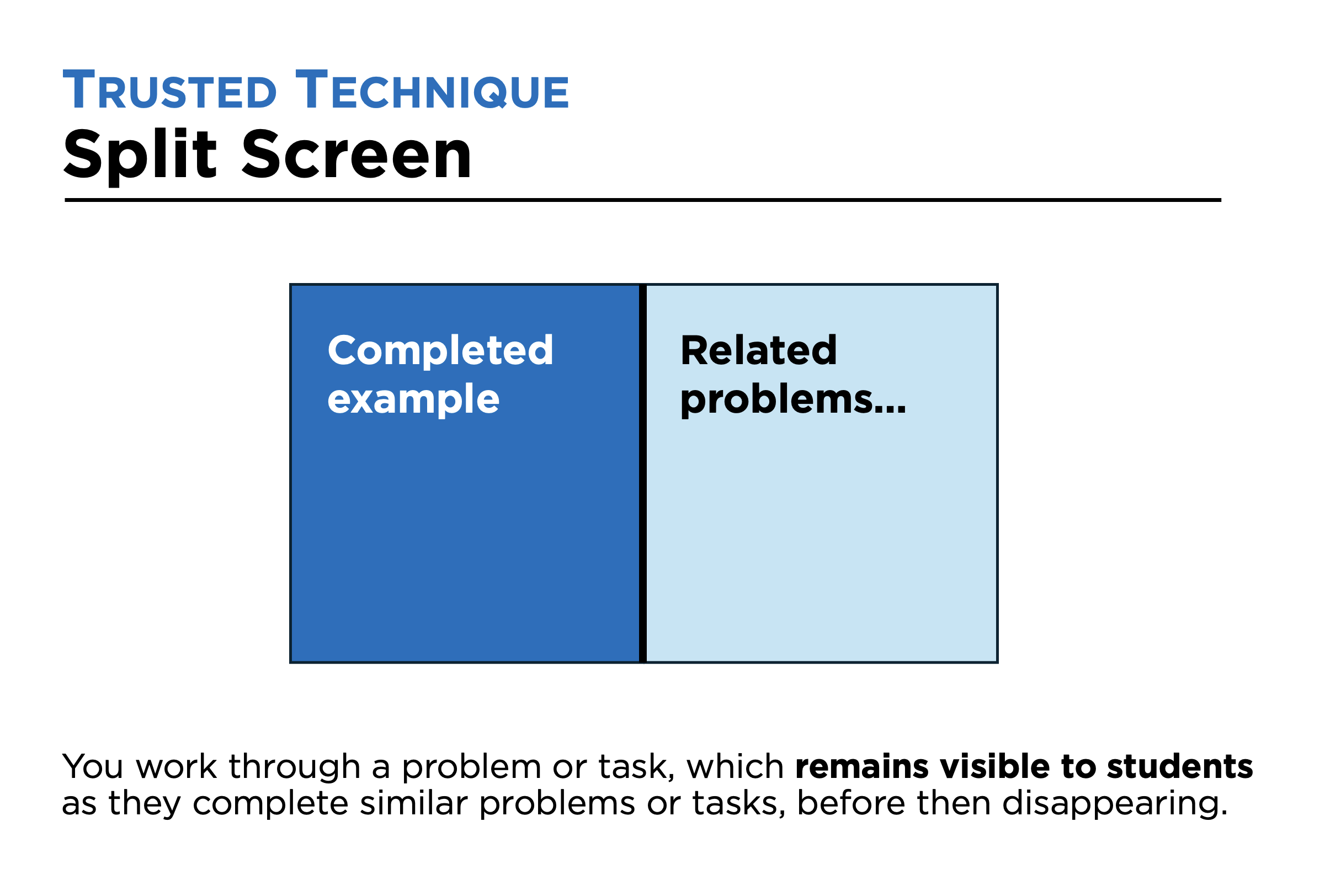
The technique, Split Screen (How I Wish I’d Taught Maths, Craig Barton), you work a task through to completion on the board or screen and ensure this remains visible to students as they then complete at least one similar task themselves (which you monitor). Once students have demonstrated a level of success you are happy with, the worked example is removed and students are asked to complete similar tasks without reference to any examples.
Why use this technique?
When examples are first presented to students, they might be understood, but that doesn’t mean they have been learned. By ‘learned’, we mean stored in long-term memory and easily accessible. Split Screen helps address this issue, acting as a substitute for long-term memory in the early stages of learning something new.
Example
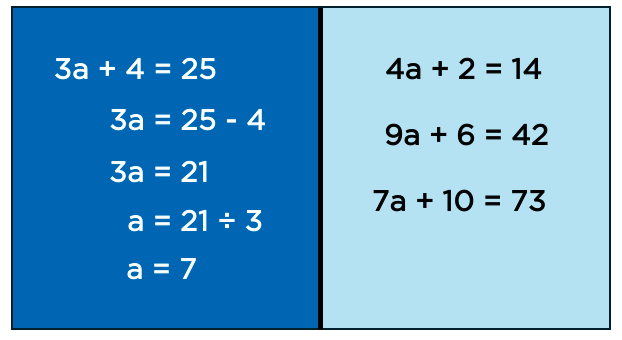
For example, in maths, a teacher might complete the task shown on the left-hand side (below), after which students are given three related tasks to complete themselves. The worked example remains visible whilst students complete the first two tasks but is removed when students are asked to complete the third. They should do this without being able to look back at the first two examples they have already completed. For example, the teacher might ask students to do this on a new page in their jotters.
Notes and tips
The principles of Split Screen can be applied to other mediums, such as video recordings. For example, in an art lesson, a teacher might film a demonstration and have this visible to students on a loop as they are starting to practise the same task themselves.
Focused reflection
How well do you currently use this technique?
Is it a technique you will focus on developing?
If so, what are the key features you will focus on (things to do, and not do)?